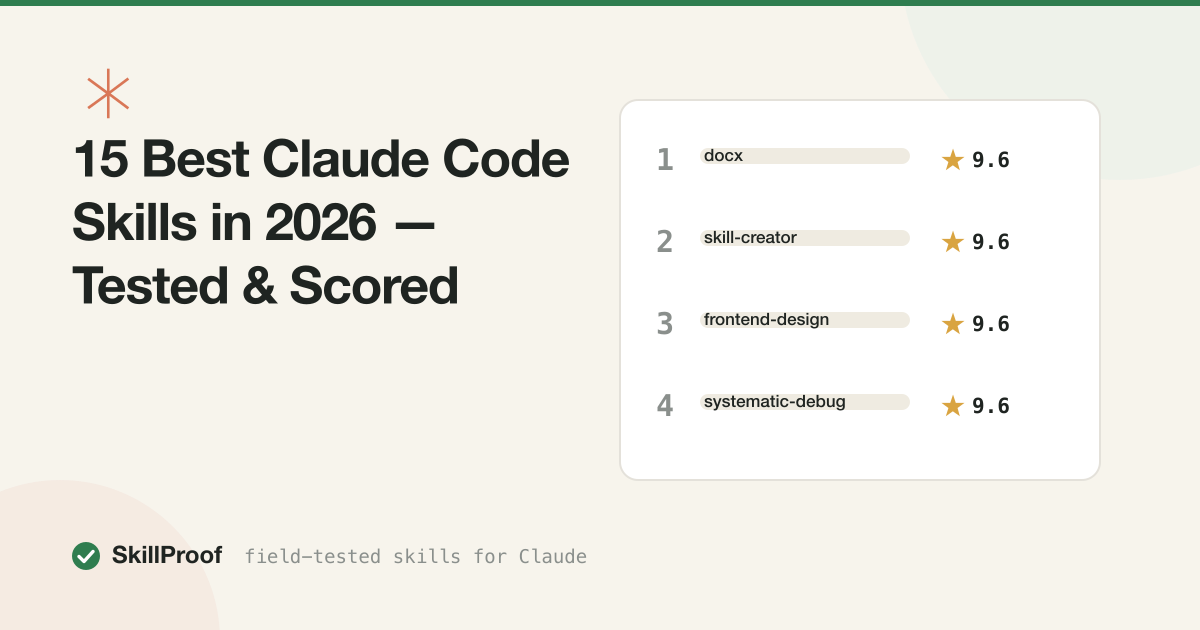
15 Best Claude Code Skills in 2026 — Tested & Scored
Search “best Claude skills” and you’ll find a dozen posts that are the same GitHub README descriptions reshuffled. The authors never installed anything. You can tell because they praise skills that don’t trigger reliably, skip install steps that break on a clean machine, and never mention a single failure.
We do it the slow way. Every skill in our catalog gets a clean install, trigger checks, and real-work tasks run against a no-skill baseline, then a score out of 10 across install, triggering, output quality and docs. The full protocol is on our methodology page, and the scores below come straight from those test runs.
We’ve put 45 skills through the protocol so far. These fifteen scored highest. All of them are free, and one caveat before the list: a 9.6 measures how well a skill does its job, not whether that job is yours. A developer who never writes a Word file gets nothing from DOCX at any score, so read the “who should install it” lines, not just the numbers.
The top 15 Claude skills, ranked
1. Test-Driven Development — 9.6
Jesse Vincent’s TDD skill from the Superpowers collection forces Claude into strict red-green-refactor: failing test first, minimal implementation, then cleanup, every time. In our three-feature test session it never once skipped the cycle, and it refused when we tried to talk it into skipping. That stubbornness is the point. Claude’s default failure mode on non-trivial features is writing plausible code that quietly breaks an edge case; this skill catches those before they land.
If you write code with Claude for a living, install this one before anything else on the list. The regression count in our session was noticeably lower than baseline. Full test notes.
2. Frontend Design — 9.6
The largest before/after gap we’ve measured on any skill. We ran the same landing-page brief with and without it: the baseline produced the usual neon-gradient, centered-everything output, while the with-skill version had a real type scale and a palette that looked chosen rather than defaulted. Anthropic ships this one in the official skills repo, and it earns the placement.
Anyone shipping web UI with Claude should have it installed permanently. It’s not a design tool, it’s a set of taste constraints, and the constraints are good. See the comparison.
3. Humanizer — 9.6
Built on Wikipedia’s “signs of AI writing” guide, this skill strips the fingerprint from AI-assisted drafts: em dash overuse, rule-of-three padding, “delve”-class vocabulary, vague attributions. Our test for writing skills is blind editorial review, and it’s the hardest one we run. Two editors read Humanizer output and couldn’t reliably flag it as AI-assisted.
If you publish anything at all, run your drafts through it as the last step in the pipeline. We used it on this article, which you can treat as either a demo or a warning. Test details.
4. DOCX — 9.6
The reference skill for Word documents. Claude produces actual .docx files with proper styles, tables of contents, page numbers and letterheads, and can edit existing documents with tracked changes intact. Our test produced a 14-page report that opened clean in Word, and a tracked-changes edit of an existing contract that didn’t corrupt the file. That second part matters more than it sounds; broken tracked changes is how document tooling usually dies.
Anyone who produces reports, memos or contracts should install it. It ends the ritual of pasting markdown into Word and reformatting for forty minutes. Skill page.
5. Systematic Debugging — 9.6
The companion to TDD from the same Superpowers collection, and arguably the more satisfying of the two. It replaces Claude’s guess-and-check instinct with a loop: reproduce, hypothesize, instrument, verify. In our test it root-caused a race condition that baseline Claude had “fixed” three times with three different plausible-looking patches.
Best on bugs that have already survived one failed fix. That’s when Claude’s default behavior gets worse (it starts thrashing) and this skill gets relatively better. Test notes.
6. Skill Creator — 9.6
The skill that builds skills: scaffolding, trigger descriptions, eval runs. We used it to build a working internal skill in one session, and its description-optimization step measurably improved how reliably the new skill fired.
Honest take: this is the most recommended skill on every list and the least relevant for most readers, because most people will never author a skill. It scored 9.6 because it does its job extremely well, not because you need it. Skip it unless you’re building skills for a team or for distribution, in which case it’s essential. Skill page.
7. XLSX — 9.2
Spreadsheets end to end: reading messy exports, fixing structure, computing formula columns, formatting, charting. We tested it on genuinely dirty data, a 40k-row export with malformed headers, and it produced formula columns and a pivot summary that recalculated correctly in both Excel and Google Sheets. The recalculation check is the one most spreadsheet tooling fails.
For analysts, ops people, and anyone whose inbox contains the phrase “see attached export,” this is the pick. Skill page.
8. PDF Toolkit — 9.2
Merge, split, watermark, fill forms, encrypt, OCR. In testing it merged six PDFs, filled a government form, and pulled tables out of a scanned invoice via OCR. The OCR is only as good as the scan, which is true of every OCR pipeline ever built, so we don’t hold it against the skill.
This one replaces an entire category of sketchy “free PDF tools” websites that want your document uploaded to someone else’s server. That alone justifies the install for anyone who touches PDFs weekly. Skill page.
9. SQL Query Writer — 9.2
Schema-aware SQL that handles the hard parts: window functions, CTEs, multi-table joins. We ran it against a 12-table schema and verified results row by row against hand-written queries. It matched. Most SQL tooling gets tested with “did the query run,” which is a much lower bar than “did the query return the right rows.”
Data analysts and backend developers get the obvious value. Less obviously, it’s useful for PMs who know what question they want answered but not the join path to get there. Test notes.
10. SEO Audit — 9.2
The workhorse marketing skill. It covers crawlability, indexation, Core Web Vitals, meta issues and thin-content detection, and outputs a prioritized fix list rather than a wall of findings. We audited a 200-page content site with it and cross-checked against a parallel Ahrefs audit; it matched on every major item.
It won’t replace a specialist for enterprise work, but for founders and small marketing teams it covers the first 80% of any audit for free. Skill page.
11. Memory Management — 9.2
Structured, file-based memory for Claude: what to save, how to index it, when to recall it. We tested it over a full week of real sessions, and recall precision held up as the memory store grew, which is where these systems usually degrade into noise.
The pitch is simple: Claude stops forgetting your project between sessions. If you work with Claude Code daily on the same codebase, the continuity gain is bigger than any single-task skill on this list. Underrated relative to how little attention it gets. Skill page.
12. Cold Email — 9.2
The only sales skill we tested with live sends. It wrote first-touch emails for 15 real (anonymized) prospects, with personalization that referenced verifiable specifics instead of “I loved your recent post” filler. Three replies from the 15-send batch. Reply rate is the only metric that matters in cold email, so that’s the number we report.
Cold email is high-stakes for a skill because one templated-sounding line kills the thread. This one forces research-backed personalization and a short, single-CTA structure. For SDRs and founders doing their own outbound. Test notes.
13. Webapp Testing — 8.8
Claude drives your actual app in a real browser via Playwright: navigation, forms, edge cases, with reproduction steps for anything that breaks. In our test it clicked through signup, checkout and error flows on a local app and caught a real regression that the project’s unit tests had missed.
It needs Playwright installed locally, which costs it points on install friction and is why it sits below the 9+ tier. Worth it anyway for anyone shipping web apps without a QA team. Skill page.
14. Statistical Analysis — 8.8
Hypothesis tests, regression, distribution work, with assumptions checked and limitations stated out loud. The detail that earned its spot: during our test on a marketing dataset, it refused to endorse a causal claim the data couldn’t support. Most analysis tooling flatters you. This one doesn’t.
Our underrated pick on this list. It will never demo as well as a dashboard generator, but “the analysis that tells you no” is worth more than the one that agrees with your deck. For anyone making decisions off data they collected themselves. Skill page.
15. Meeting Notes Formatter — 8.8
Raw transcript in, disciplined summary out: decisions made, action items with owners, open questions. We fed it a 45-minute raw transcript and checked every output line against the recording. Zero invented action items. That’s the entire reason it’s on this list, because hallucinated action items are the standard failure mode of meeting summarizers, and they’re worse than no summary at all.
For managers, PMs, and anyone who owns the follow-up doc. Quietly one of the best effort-to-value ratios in the catalog. Skill page.
What didn’t make the cut
Worth saying, since most lists never do. Six skills at 8.8 missed the cutoff purely on our judgment call between ties, including PPTX and Account Research, both covered below. Nine more skills carry a “setup” verdict, meaning they work but the install fought us; Git Workflow Coach and Brand Guidelines are the notable ones there. And 28 skills sit in the test queue with no score at all, several of them popular. If a skill you love is missing, it either scored lower than these fifteen or we haven’t finished testing it. We don’t rank what we haven’t run.
FREE STARTER PACK
Fifteen is too many to start with. We'll email you the 3 top-scored skills from this list and the install checklist we run before every test. Free.
Get the free starter packBest skills by use case
The top 15 skews toward what most people do most. If your work is narrower, the category pages rank deeper.
Best for coding. TDD and Systematic Debugging are the pair to start with, and MCP Builder (8.8) is the sleeper if you have internal APIs Claude should talk to; it got us from nothing to a working MCP server in about an hour. Full rankings at best skills for coding.
Best for SEO. SEO Audit leads, and Programmatic SEO (8.4) is worth a look if you’re scaling landing pages from data; it’s built to avoid the doorway-page spam pattern that gets sites burned. The rest of the field is thinner than the hype suggests. Rankings at best skills for SEO.
Best for token efficiency. We’ll be straight with you: this category is mostly still in our test queue. Skills like Token Budget Auditor and Prompt Cache Optimizer make measurable-sounding claims, and measurable claims deserve measurement before we score them. Watch best skills for token efficiency for results as they land.
Best for documents. The deepest strong category we have. DOCX, XLSX and PDF Toolkit all sit in the top 10 above, and PPTX (8.8) rounds out the set; it built us a 12-slide deck with accurate charts from a CSV brief, with only one table needing a re-run. Rankings at best skills for documents.
Best for design. Frontend Design carries the category, and UI Audit (8.4) is the practical follow-up: scored accessibility and consistency reviews of interfaces you already shipped. One creates, the other checks. Rankings at best skills for design.
Best for writing. Humanizer is the headliner, but Copy Editing (8.8) deserves a mention for line-editing a 2,000-word article without flattening the author’s voice, which is the thing AI editing usually ruins. See best skills for writing.
Best for sales. Cold Email plus Account Research (8.8) is the natural pairing: in our test, two working SDRs rated its account briefs higher than their own prep. Rankings at best skills for sales.
The top 10 at a glance
| # | Skill | Category | Score | Price | Best for |
|---|---|---|---|---|---|
| 1 | Test-Driven Development | Coding | 9.6 | Free | Developers shipping features with Claude |
| 2 | Frontend Design | Design | 9.6 | Free | Anyone building web UI |
| 3 | Humanizer | Writing | 9.6 | Free | Anyone who publishes text |
| 4 | DOCX | Documents | 9.6 | Free | Reports, memos, contracts |
| 5 | Systematic Debugging | Coding | 9.6 | Free | Bugs that survived one fix already |
| 6 | Skill Creator | Coding | 9.6 | Free | Teams authoring their own skills |
| 7 | XLSX | Documents | 9.2 | Free | Messy real-world spreadsheets |
| 8 | PDF Toolkit | Documents | 9.2 | Free | Merge, forms, OCR |
| 9 | SQL Query Writer | Data | 9.2 | Free | Analysts and backend devs |
| 10 | SEO Audit | SEO | 9.2 | Free | Founders and small marketing teams |
Every skill we’ve tested to date is free and open source. “Free” is doing no work in that column yet, but paid skills are starting to appear in the ecosystem and we’ll score them on the same protocol when they reach the queue.
How to install any of these
Every skill page in our catalog has the exact install command we used during testing, usually a git clone plus a copy into ~/.claude/skills/. It takes about a minute per skill, and if a skill needs anything beyond that (Playwright for Webapp Testing, for example) the page says so, because we hit that friction ourselves and wrote it down. The full walkthrough, including where skills live on disk and how to check that one actually triggers, is in our installation guide.
If you’d rather not install one at a time, our skill packs bundle tested, conflict-free sets for a role, so a developer or a marketer can get their whole stack with one command. Packs only contain skills that passed testing; we don’t pad them.
SKILLPROOF PACK
Installing several of these raises one practical question: what it all costs in tokens. The Optimizer Pack is the efficiency setup we run ourselves: four skills, a trimmed CLAUDE.md template, and an MCP audit checklist, one command.
Get the Optimizer Pack — $10FAQ
Are Claude skills free?
Every skill on this list is free and open source, most from either Anthropic’s official repo or community GitHub projects. Paid skills exist and more are coming, but nothing paid has cracked our top 15 yet. When one does, we’ll have paid for it and tested it like everything else.
How many skills should I install?
Two or three that match your actual job, not fifteen. Every installed skill adds trigger descriptions to Claude’s context, and a crowded skill directory means more false triggers and slower sessions. We’ve watched a writing skill hijack a coding task because both descriptions mentioned “documentation.” Our rule: install for the work you did last week, not the work you imagine doing, and prune anything that hasn’t triggered in a month.
Do skills work in the Claude app, or only in Claude Code?
We test in Claude Code, and every score on this site reflects Claude Code behavior. Many skills also load in the Claude desktop and web apps, but file-heavy skills (DOCX, XLSX, PDF) depend on code execution and local file access, so Claude Code is where they’re most reliable. Check the “tested with” line on each skill page.
What’s the difference between a skill and an MCP server?
A skill is instructions and reference files that shape how Claude works; an MCP server is a live connection to an external tool or API. Skills need no infrastructure and install in a minute. If you want Claude to behave differently, you want a skill. If you want Claude to reach a system it can’t currently touch, you want MCP, and MCP Builder will help you build it.
How are these scores calculated?
Four components: install experience, trigger reliability, output quality against a no-skill baseline, and documentation. Output quality is weighted double, because a skill that installs beautifully and produces mediocre work is still a mediocre skill. The full rubric, including what earns a fail, is on the methodology page. We publish test notes for every skill, including the ones that didn’t make this list.
For more, see the best coding skills specifically.
★ 9.6/10 × 3
The free starter pack
3 skills with our highest test scores plus the install checklist — the setup we'd put on a fresh machine. Free, by email.