How Many Claude Skills Should You Install?
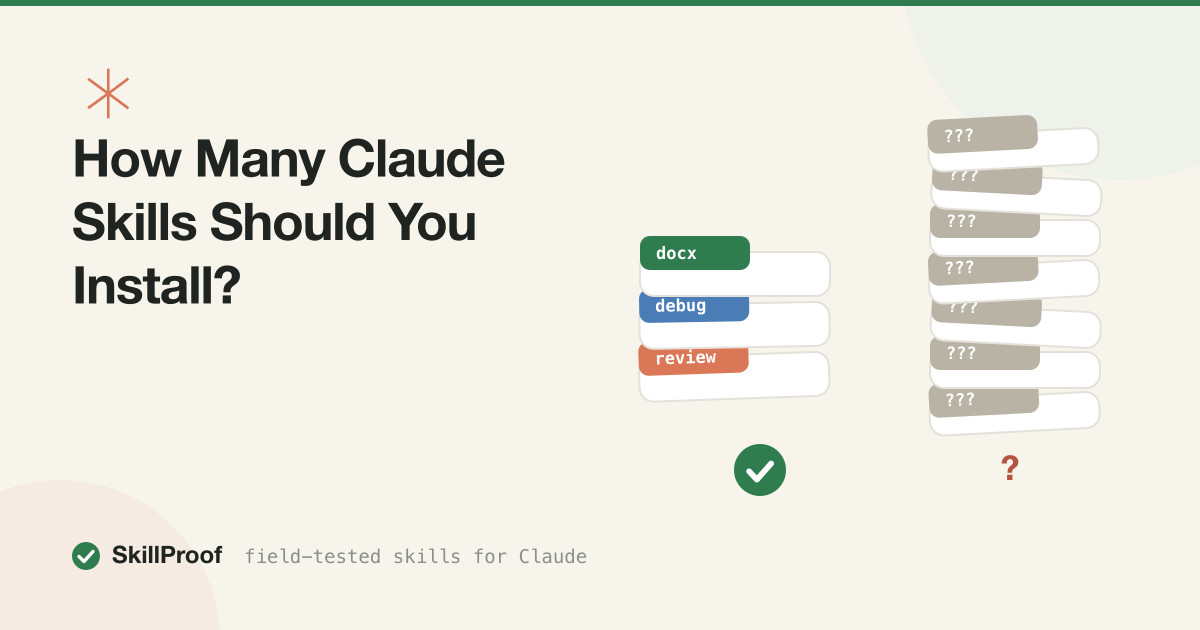
Fewer than you think. For most people doing normal work in Claude Code, the number that holds up over months is somewhere between five and eight actively used skills, not counting whatever ships bundled in a plugin you didn’t choose individually. That’s not a hard ceiling. It’s the point where the portfolio you actually reach for stops growing, no matter how many more you install.
The reason it’s low isn’t clutter in a folder view. Every skill you install, whether you use it or not, puts its trigger description in front of Claude on every request, forever, and every extra description is one more thing Claude has to correctly ignore. Past a certain point, adding skills doesn’t add capability. It adds noise the good skills have to compete against.
This piece is the arithmetic behind that number: what an installed-but-idle skill costs you, why two overlapping skills is worse than either one alone, and the portfolio structure we use ourselves after cataloging and testing 73 of them.
What an installed skill actually costs you
Skills load in two stages. At session start, Claude reads only the frontmatter, the name and description, of every skill it can find, typically 50 to 150 tokens each. That metadata sits in context for the whole session regardless of whether the skill ever fires. The full body, the actual instructions, loads only when a request matches the description. That’s progressive disclosure, and it’s the reason skills scale better than pasted prompts. We covered the mechanism in what Claude skills are.
The always-on part is the part people forget to count. Say you’ve installed 30 skills at an average of 100 tokens of frontmatter each: 3,000 tokens standing in front of every message, every turn, every session, whether or not any of them are relevant. At 30 turns in a working session that’s 90,000 tokens spent re-reading a metadata list before Claude does anything you asked for. Over 22 working days, close to 2 million tokens a month of pure standing-around tax. None of it is expensive on its own, a few cents at Sonnet rates. But it competes for space in the context window and compounds with everything else riding along: CLAUDE.md, MCP tool schemas, session history. We did the full breakdown in cutting Claude token costs.
The bigger cost isn’t dollars. It’s attention. Claude decides which skill to load by matching your request against a stack of descriptions, and that match gets less reliable as the stack grows and as descriptions start to overlap in vocabulary. A skill you installed in March and haven’t used since is still in that stack every time you ask for something in April, quietly making the correct match one option out of 41 instead of one option out of 8.
FREE STARTER PACK
Three is the right number to start with, not thirty. We'll email you our 3 top-scored skills and the install checklist we run before every SkillProof test. Free.
Get the free starter packThe collision problem: two skills, one request
Install enough skills and eventually two of them will describe the same job in different words. This isn’t a hypothetical. We hit it building our own test catalog: two marketing packs installed side by side both shipped a skill for outreach copy, cold-email and email-sequences, with descriptions overlapping enough that a single “write me a follow-up email” prompt could plausibly match either.
When that happens, one of three things occurs, and none of them are announced to you. Claude picks one, silently, based on which description reads as a slightly better match for your exact phrasing, so the same prompt asked two different ways can trigger two different skills. Or a hard collision on the name field means one skill shadows the other entirely; the second one simply never loads, and you won’t get an error telling you so. Or, worst case, Claude tries to satisfy both partial matches at once and produces output that’s stitched together from two sets of instructions that were never designed to cooperate: your email skill and your tone-of-voice skill both trying to own the same sentence.
The fix is diagnostic, not preventive, because you generally don’t know two skills collide until they do. We wrote the full six-point checklist for this in Claude skill not triggering, but the short version for portfolio size specifically: if you can’t explain in one sentence why skill A handles a request instead of skill B, they overlap too much to both stay installed. Merge them, delete one, or rewrite the weaker description to carve out a narrower, non-overlapping slice of the job. The number of collisions in a portfolio scales roughly with the square of its size, which is the mathematical version of “keep it small.”
The portfolio approach: anchors, situationals, experiments
Once you accept that every installed skill has an ongoing cost, the question shifts from “should I install this” to “which bucket does it belong in.” We sort our own into three.
Anchors are the two to five skills you’d notice within a day if they vanished. Document generation if you write reports weekly. A debugging discipline if you write code daily. A tone or editing skill if your job is words. These earn a permanent home in ~/.claude/skills/, available in every project, and they’re the only category worth installing on faith before you’ve proven the trigger works for you specifically.
Situationals are real and useful but scoped to one context: a migration checklist for one codebase, a client’s specific brand voice, a compliance skill only your regulated project needs. These belong in a project’s .claude/skills/ folder, not your personal one. They travel with the repo, they’re visible to teammates who clone it, and critically, their description only competes for attention inside sessions where they’re actually relevant. Installing a client-specific skill globally means its description rides along on every unrelated project you touch too.
Experiments are anything you’re trying because a colleague recommended it or a catalog entry scored well. Give these a hard two-week clock from install. If you haven’t used one unprompted, naturally, without going out of your way to test it, by the end of two weeks, delete it. Most experiments fail this test, and that’s fine; that’s what the trial period is for. The mistake isn’t trying skills, it’s letting untested ones quietly graduate to permanent-anchor status just because deleting a folder feels like admitting the trial failed.
This structure also answers the “how many” question more usefully than a single number does. It’s not “install 6 skills total.” It’s “keep your anchors down to what you’d genuinely miss, keep situationals scoped to where they matter, and put an expiration date on everything else.”
What survived on our own bench
We test every skill in the SkillProof catalog on a clean install before it earns a verdict, and separately, some of those tested skills become the ones we actually reach for daily, months after the review published. That second list is short, and it’s informative precisely because it’s short.
DOCX (9.6/10) is the one we’d notice fastest if it disappeared. Anthropic’s own reference skill, and the reason is boring: we produce Word documents most weeks, and it writes real ones, tables of contents, tracked changes, letterheads intact, instead of markdown we’d have to reformat by hand.
Systematic Debugging (9.6/10) and Test-Driven Development (9.6/10), both from the Superpowers collection, are the pair that changed how our own sessions run rather than what they produce. No scripts, no external tools, pure behavior change: red-green-refactor enforced every time, a debugging discipline that won’t let Claude guess at a fix before reproducing the bug. These are the clearest case in our catalog for a skill earning anchor status on output alone.
Memory Management (9.2/10) earns its spot by being invisible in the best way: it keeps context from evaporating between sessions without us managing a notes file by hand.
Notice what’s absent. Our catalog holds 73 skills; 35 have a clean pass verdict. We use maybe eight of those 35 as genuine daily anchors. The other 27 are good, tested, and honest about what they do, and most still sit in situational or experimental status for us, because “tested and good” and “belongs in your permanent five to eight” are different bars. A skill can score 9/10 in review and still be wrong to keep globally installed if you touch its use case twice a quarter.
The monthly prune ritual
Portfolios drift. A skill installed for one project outlives the project. An experiment survives its two-week clock because deleting things is nobody’s favorite chore. The fix is a recurring ten-minute pass, not a one-time cleanup.
Once a month, run through this:
- List what’s actually installed.
ls ~/.claude/skills/andls .claude/skills/for any project you’re in. If you don’t recognize a folder name, that’s your answer already. - Ask when each one last fired. If you can’t remember using it in the last month, and it’s not an anchor you use in bursts (tax season, quarterly reports), it’s a prune candidate.
- Check for overlap. Read the
descriptionfield of every skill side by side. Two that could plausibly answer the same prompt are a collision waiting to happen; see the section above. - Confirm project-scoped skills are actually project-scoped. Anything specific to one client or repo has no business in your personal folder, riding along on every unrelated project.
- Delete, don’t archive. A skill sitting disabled somewhere still needs to not be confused with an active one. If it’s not earning its slot, remove the folder.
- Re-test your anchors. Ask for something each anchor should handle, without naming it, the way we test triggers for the catalog. If it doesn’t fire cleanly, something added since is probably shadowing it.
Ten minutes, once a month, and the portfolio stays the size that’s useful instead of drifting toward the size that just accumulates.
Quality beats quantity
This is the whole thesis of SkillProof compressed into one section, and it’s worth saying plainly here because “how many skills” is really a proxy for a different question: what’s the marginal value of the next one you’re about to install?
Of the 45 skills we’ve run through full testing, 35 passed clean and 10 needed extra setup to work at all. That’s not a knock on the ecosystem, the format is intentionally open, anyone can publish with no review gate, which is exactly why it grew fast. But it also means the average skill on GitHub is unverified, and installing ten mediocre ones doesn’t add up to one good one. It adds up to ten trigger descriptions competing with your good ones for the same match, ten idle metadata blocks on every request, and a growing number of pairs that could silently step on each other. We went deep on the specific failure patterns, vague descriptions that never trigger, output no better than Claude’s default, missing setup steps, in why half of Claude skills don’t work.
The practical version: before installing anything, ask whether it would survive the two-week experiment clock, and whether it does something meaningfully better than Claude would do unprompted. If you can’t answer yes to both, it’s not costing you much to skip it, but it’s not helping you either. Our efficiency rankings sort tested skills specifically by that output-over-baseline bar, which is a faster filter than reading twenty READMEs yourself.
SKILLPROOF PACK
Skip the sprawl entirely. The Optimizer Pack is our tightest anchor set, pre-checked for trigger overlap so you install the eight that matter instead of pruning forty later.
Get the Optimizer Pack — $10FAQ
Is there a hard limit on how many Claude skills I can install?
No technical cap that we’ve hit in testing. Claude scans every skill folder it finds and loads all their frontmatter at session start, whether that’s 5 skills or 150. The limit that matters isn’t a wall Claude enforces, it’s the point where the always-on metadata tax and the rising odds of description overlap start costing more than a new skill adds. That point tends to land around 30 to 40 installed skills for most people, well before any format-level ceiling.
Do idle skills slow Claude down or just cost tokens?
Mostly tokens and matching accuracy, not raw latency in any dramatic way. An idle skill’s frontmatter sits in context on every turn, which adds a small, real cost that compounds over a month, and it’s one more description Claude has to weigh when deciding what to trigger. A handful of idle skills is genuinely harmless. Forty of them is a different story, mainly because the odds of a stale one shadowing or half-matching a request you care about go up with the count.
How do I know if a skill I installed is actually being used?
Ask for something it should handle without naming it, the same trigger test we run for every catalog entry. If Claude’s behavior visibly changes, for example, it produces a real .docx instead of pasted markdown, it fired. If nothing changes, either the description doesn’t match how you actually phrase requests, or another skill is winning the match first. Our skill not triggering guide has the full six-check process for telling those two apart.
Should personal and project skills count against the same limit?
Treat them separately. Personal skills in ~/.claude/skills/ ride along on every project you touch, so they should be the short anchor list you’d miss daily regardless of context. Project skills in .claude/skills/ only load their frontmatter in sessions inside that repository, so a project can reasonably carry more situational skills without taxing your other work at all. The mistake we see most is putting client-specific or repo-specific skills into the personal folder, where they tax every unrelated project forever.
What’s the fastest way to cut down an overgrown skill list?
Run the monthly prune ritual once, immediately, rather than waiting for the next scheduled pass. List everything installed, cut anything you can’t remember firing in the last month that isn’t a known-bursty anchor, check the survivors for description overlap, and move anything client- or project-specific out of your personal folder. Most overgrown setups drop from 30-plus skills to under ten in the first pass, because the bulk of the list is experiments nobody got around to deleting.
★ 9.6/10 × 3
The free starter pack
3 skills with our highest test scores plus the install checklist — the setup we'd put on a fresh machine. Free, by email.